AtoN House Nordic · Monitoring

NaviGuard

NaviGuard remote monitoring of aids to navigation

NaviGuard connects the lanterns, racons and radar beacons at a remote site to Emiko. Authorised users see current status, alarms, power data and available position data for every site in one overview, without travelling to each installation.

  • Serial or PowerMonitor connection
  • Alarms by SMS and email
  • Battery, solar and day/night data
  • Supported settings from the office
  • Fits inside the lantern installation or an enclosure
A technician with a tablet showing the EMIKO app looking up at the MarineGuard mast and its mid-mast cabinet.
AtoN House Nordic Explore this division
monitoring overview for all your remote sites in Emiko
1
connection paths: serial data interface or PowerMonitor current sensing
2
documented lantern profiles from Tideland and MSM
11
notifications for alarms when the notification service is configured
SMS + email

Key features

What NaviGuard brings into Emiko

Status, alarms, measurements and supported settings from the instruments at each remote site.

Mid-section of the MarineGuard mast with the grey PowerGuard cabinet mounted inside the red and white lattice.

One view across remote sites

Emiko collects the supported NaviGuard installations in one monitoring overview. Clear indicators show which sites need attention, from a computer or a mobile device.

Alarm monitoring and notifications

Emiko shows alarms from the monitored installations and identifies the site to investigate. Configured alarms can use instrument data or PowerMonitor current sensing, with notifications by SMS and email.

Serial instrument communication

A supported lantern, racon or radar beacon connects through its serial bus, such as RS485 Modbus RTU. Available measurements and controls depend on the released model integration.

PowerMonitor current sensing

For a lantern without a supported serial interface, PowerMonitor detects whether the lantern draws current during expected operation and supports current based alarms.

Power and environment data

Battery, current, solar charging, sun switch and day or night information, where the connected instrument provides it.

Position data

GPS information is shown when the installed instrument and its released integration provide it.

Supported settings

Operating mode, nominal range, flash character and day/night switching can be changed from Emiko when the installed model supports the change and confirms that it was applied.

Racons and radar beacons

NaviGuard provides one monitoring structure for navigation and marker lights, sector and leading lights, racons, PowerMonitor, PowerGuard and other released AtoN integrations.

Applications

Where remote AtoN monitoring pays off

For the organisations responsible for aids to navigation across a harbour, a coastline or a national network.

Harbour entrances

Confirm that the entrance lights and leading lights are operating before a vessel reports a dark mark.

Exposed coastlines

Review status and measurements from sites that are difficult and time consuming to visit, and send the service team only where it is needed.

Remote islands and networks

Operate instruments across a large region from one overview, with alarms that identify the affected site.

Solar and battery sites

Follow battery, current and solar charging where an installation relies on batteries, solar power or a UPS, and plan the visit before the light fails.

How it works

How NaviGuard connects a remote site to Emiko

A controller at the site, a connection to each instrument, and one overview in Emiko.

Each NaviGuard controller connects the supported instruments at one remote installation to Emiko through the internet. The controller can be installed inside a suitable lantern installation or in an external enclosure.

A lantern is monitored through a supported serial data interface or through PowerMonitor current sensing. After configuration, NaviGuard monitors the connected instrument and makes its data and alarms available in Emiko, where the installation is associated with the right customer, site and instrument.

  • Install the controller and confirm that the instrument and its power supply are ready

  • Choose the connection type: serial instrument connection or PowerMonitor digital input

  • For a serial connection, select manufacturer and model, enter the bus values and run the communication test

  • Complete the Emiko setup: customer, site, instrument, information, alarms and supported functions

  • Review the settings supported by the confirmed model, save, and verify the live data in Emiko before handover

Ecosystem

NaviGuard, PowerGuard and the Emiko platform

NaviGuard is the monitoring link between the aids to navigation at a site and Emiko.

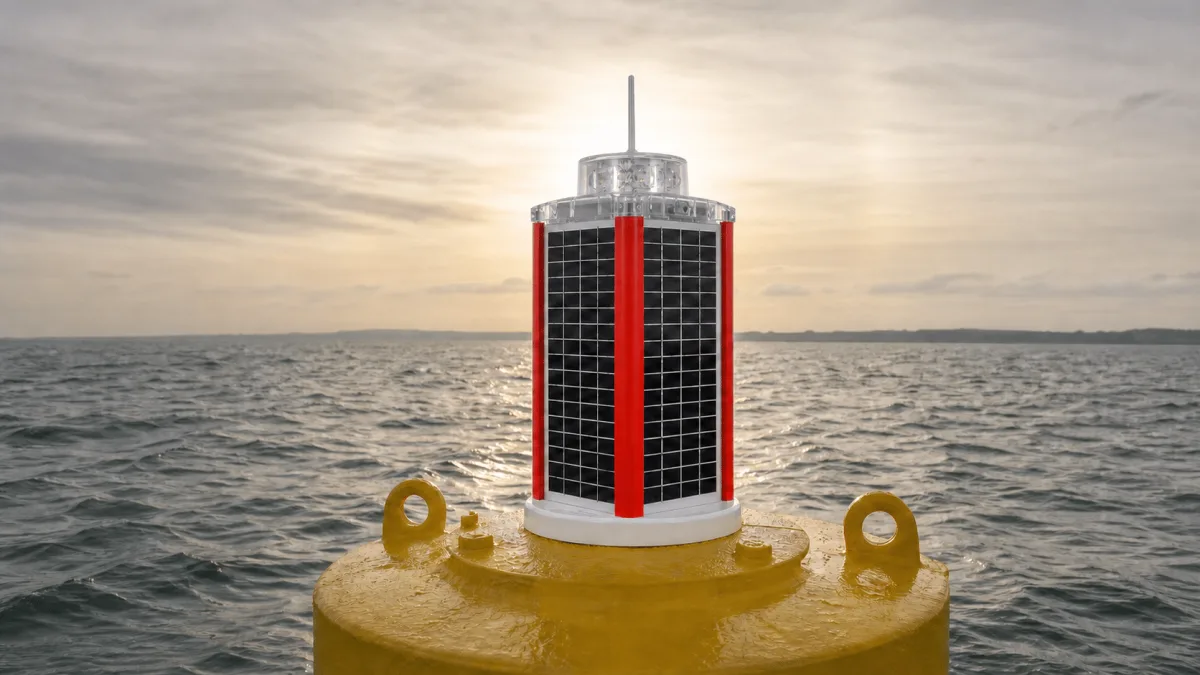
NaviGuard works with the lanterns and beacons from our partner manufacturers, with PowerMonitor for lanterns without serial communication, and with PowerGuard backup power. In a MarineGuard installation it is the component that reports the light, the power and the alarms to Emiko.

  • One Emiko overview for lanterns, racons, radar beacons and power
  • Model specific integrations for Tideland and MSM lanterns
  • PowerMonitor for lanterns without a serial interface
  • Part of a MarineGuard mast, light and monitoring installation
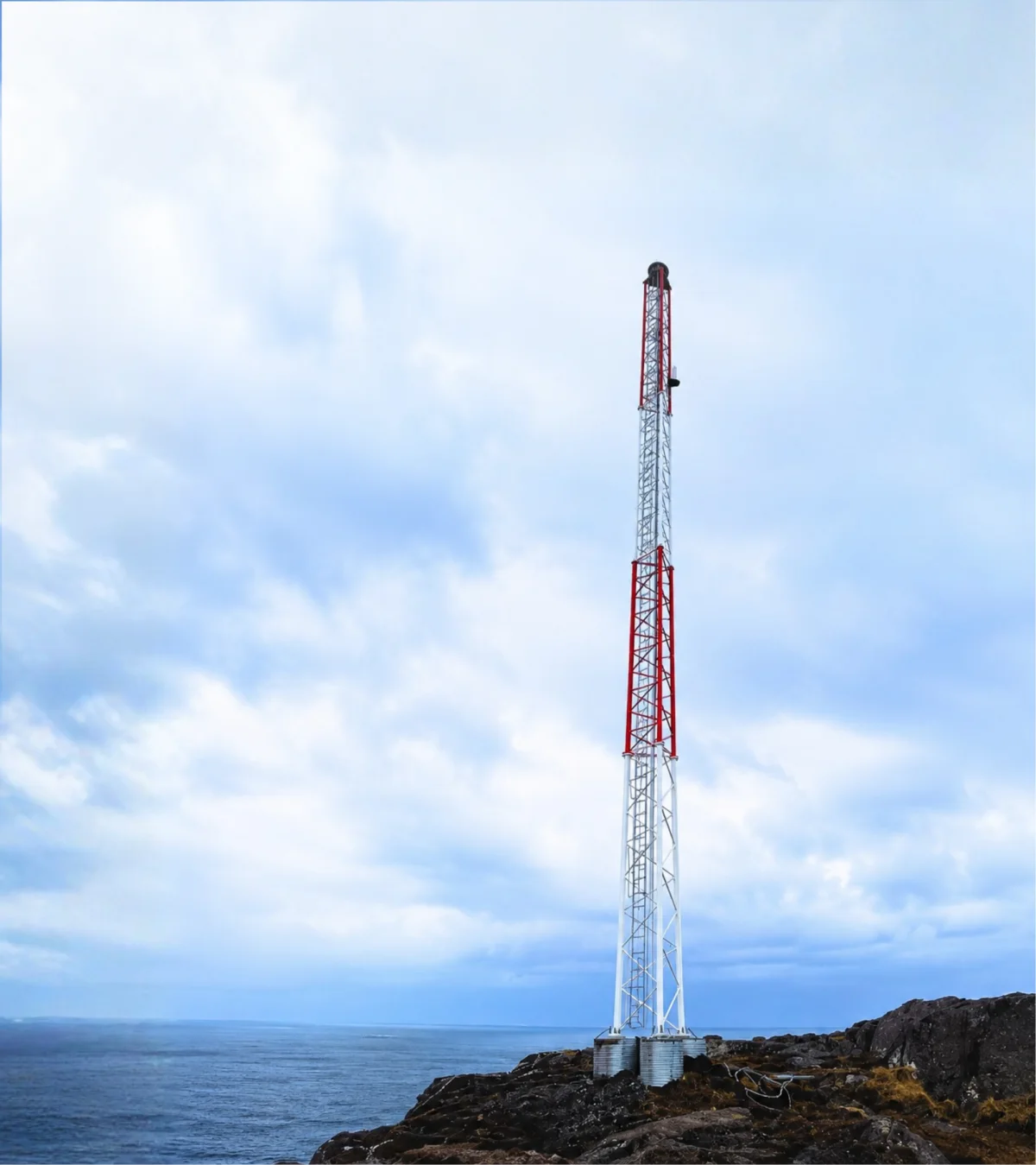
MarineGuard lattice mast on a rocky shore with its lantern at the top and the grey PowerGuard cabinet at mid height.

Technical details

Supported lantern models and settings

Available information and controls depend on the connected instrument model and the installed NaviGuard software. The table shows the documented lantern profiles and which settings each of them supports.

Read and write means the value can be shown and changed from Emiko. Read only means it is shown but cannot be changed. Other models can be monitored through PowerMonitor.

Ask about a specification
Supported lantern models and settings
Lantern modelOperating modeNominal rangeFlash characterDay/night switching
MSM MCL360YesRead and writeNoRead and write
Tideland MaxiHalo-60 or Nova-65 with Halo2 controllerYesRead and writeRead and writeRead and write
Tideland Rotator with MaxiHalo-60 and Halo2 controllerYesRead and writeRead and writeRead and write
Tideland SolaMax with Halo2 controllerYesRead and writeRead and writeRead and write
Tideland Flasher with MaxiHALO-60 II controllerYesRead and writeRead and writeRead and write
Tideland Rotator with MaxiHALO-60 II controllerYesRead and writeRead and writeRead and write
Tideland Quad controller lights: Nova-250, MaxLED-180, MasterRangeYesRead and writeRead and writeRead and write
MSM MBL series MF12YesRead and writeNoRead and write
MSM MBR series PPC02YesRead and writeNoRead and write
Tideland Nova-65 ES-1071, non-solar and solarNoRead onlyNoRead only

Product guide

Remote monitoring of aids to navigation in the Nordic region

NaviGuard gives harbour authorities and AtoN operators current information from every site, so service is planned from data rather than from routine visits.

Who NaviGuard is for

Organisations responsible for aids to navigation at harbour entrances, along exposed coastlines and on remote islands, across a region or a national network. NaviGuard provides one operational overview across the supported sites, for authorised users on a computer or a mobile device.

Choosing the connection

A lantern with a supported serial interface delivers its internal status, measurements and settings through Modbus RTU. A lantern without one is supervised through PowerMonitor, which provides operating evidence and current based alarms, but not the lantern's internal status or settings.

Settings without a site visit

For supported models, nominal range in nautical miles, primary and alternate flash character and the day/night thresholds are changed from Emiko. NaviGuard offers only the values the confirmed model profile supports and performs the model specific mapping.

Specified and supported from Denmark

Vikingegaarden specifies the controller, the connection type and the Emiko setup for each site, commissions the installation and supports it afterwards.

Documentation for configuration and the supported settings is available in Vika Help.

Good to know

Frequently asked questions about NaviGuard

What is NaviGuard?

NaviGuard is a controller that connects the aids to navigation at a remote site to Emiko. Authorised users monitor status, alarms, power data and available position data across all their sites in one overview.

Which instruments can NaviGuard monitor?

Navigation and marker lights, sector and leading lights, racons and radar beacons, PowerMonitor and PowerGuard, and other released AtoN integrations. The available data, alarms and settings depend on the connected instrument and the released software.

My lantern has no serial interface. Can it still be monitored?

Yes, through PowerMonitor. It detects whether the lantern draws current during expected operation and supports current based alarms. It does not provide the lantern's internal status, detailed measurements or settings.

Can I change lantern settings remotely?

For supported models, yes: operating mode, nominal range, flash character and day/night switching. A control is shown only when the installed model supports both the change and the confirmation that it was applied.

How do alarms reach me?

Emiko shows the alarms and identifies the site. Notifications are sent by SMS and email when the notification service is configured for your organisation.

Does NaviGuard report the position of a buoy?

GPS information is shown when the installed instrument and its released integration provide it. NaviGuard is a monitoring controller, not a stand alone GPS tracker.

Have a question about your project?

Talk to our team

Let’s talk about your project

Let's plan your NaviGuard installation

Tell us which lanterns, racons and beacons you operate and how they are powered. We help with the connection type, the Emiko setup and the alarms.

Talk to Vikingegaarden

Discuss your project

NaviGuard

Tell us what you need. We will help with the configuration and next steps.

Your contact details and project

We use your details to respond to your enquiry. Privacy policy

Prefer to speak to us? +45 7580 3960
sales@vikingegaarden.com